
Oven Thermometer Guide: Why Your Oven Lies (and How to Fix It)
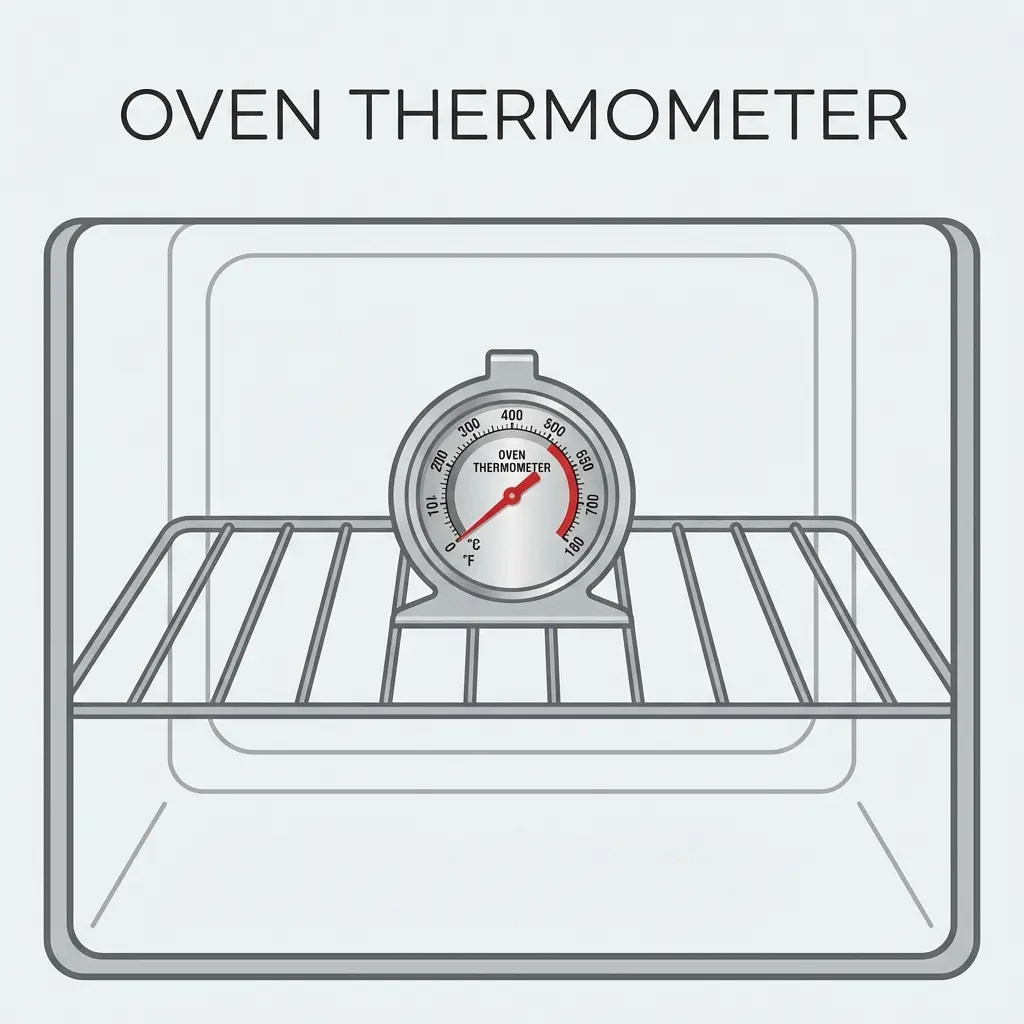
Your oven is almost certainly lying to you. Consumer Reports and independent kitchen tests consistently find that home ovens — including expensive models — run 15–50°F-9–10°C different from the temperature displayed on the dial or screen. For baking, where precision matters immensely, this error causes failed bread, overdone cookies, and underdone casseroles. A standalone oven thermometer costs under $15 and solves this completely.
Why Oven Temperature Displays Are Inaccurate
Home ovens work by cycling: they heat past the target temperature, shut off the element, cool below it, then heat again. The display shows an average — but this cycling creates a temperature range rather than a fixed point. Your "350°F177°C" oven may cycle between 325°F163°C and 375°F191°C.
Additionally, oven temperature sensors (thermocouples or thermistors built into the wall of the oven) degrade over time, develop calibration drift, and measure temperature at one specific location — often a corner near the element, not where your food is.
How Much Ovens Can Be Off
| Scenario | Error Range |
|---|---|
| New, well-calibrated oven | ±5–15°F-15–-9°C |
| Average home oven | ±15–25°F-9–-4°C |
| Oven over 5 years old | ±25–50°F-4–10°C |
| Oven with failing thermostat | ±50–100°F10–38°C+ |
Types of Oven Thermometers
Bimetallic Dial Thermometer (Best for Most Home Cooks)
- Price: $8–$20
- Design: A small dial thermometer that hangs from the oven rack or stands on the floor
- Pros: No batteries, reads immediately at a glance when you open the door, extremely durable
- Cons: Must open the door to read (loses some heat)
- Accuracy: ±2–5°F-17–-15°C
Leave-In Probe Thermometer (For Continuous Monitoring)
- Price: $25–$80
- Design: An oven-safe probe connected by a cable to a display outside the oven
- Pros: Monitor temperature without opening the oven, alerts if temperature goes out of range
- Cons: More complex, requires routing cable through door seal
- Best for: Long cooks (roasts, braises, smoking in oven)
Taylor / Rubbermaid Classic Dial
- The $10 Taylor oven thermometer is the standard recommendation for home use — accurate, widely available, and essentially indestructible
How to Test Your Oven's Accuracy
- Place your oven thermometer in the center of the middle rack
- Set your oven to 350°F177°C and start preheating
- Wait for the preheat signal, then wait 20 more minutes — ovens take time to fully stabilize after the preheat signal
- Read the thermometer without fully opening the door (crack it and read quickly, or use a leave-in probe)
- Note the difference: if your thermometer reads 330°F166°C, your oven runs 20°F-7°C cold
- Check 3 times over 15 minutes to account for the heating cycle — average the readings
How Oven Temperature Affects Cooking
| Error | Effect on Baking | Effect on Meat Cooking |
|---|---|---|
| 25°F-4°C too hot | Browned crust, raw center; cookies spread too fast | Overcooks exterior; inside may miss safe temp |
| 25°F-4°C too cool | Dense, pale, undercooked baked goods | Longer cook time (safe if measured with probe) |
| 50°F10°C too hot | Burnt exterior, raw interior; ruined breads | Severe overcooking of exterior |
Calibrating Your Oven
Most modern ovens have a hidden calibration menu accessible through the control panel. Common method (varies by brand):
- Press and hold the Bake button for 5 seconds — a calibration screen may appear
- Use arrow keys to adjust the offset in 5°F-15°C increments (range is usually ±35°F2°C)
- Confirm and test again
For older ovens or those without calibration features: simply add or subtract the known offset from every recipe temperature. Keep a sticky note inside a cabinet door: "Oven runs 25°F-4°C hot — set 25°F-4°C lower."
For meat cooking specifically, use a probe thermometer to verify internal food temperature regardless of oven calibration. An accurate oven thermometer + an accurate meat thermometer = perfect results every time.
Frequently Asked Questions
Are oven thermometers accurate?
Standalone oven thermometers (bimetallic stem thermometers or small dial thermometers designed for oven use) are accurate within 2–5°F-17–-15°C when properly placed. Your oven's built-in temperature display, however, can be off by 25–50°F-4–10°C — sometimes even more on older appliances. A $10–$15 standalone oven thermometer is one of the highest-value kitchen upgrades you can make.
Where should I place an oven thermometer?
Place the oven thermometer in the center of the middle rack — this is the most representative location for the average baking temperature in the oven. Avoid placing it directly under a heating element (too hot) or in a corner (can be 20–30°F-7–-1°C cooler). For convection ovens, the temperature is more uniform — middle rack center is still ideal.
How do I calibrate my oven using a thermometer?
Preheat your oven to 350°F177°C. After it signals preheating is complete, wait 20 additional minutes for the temperature to fully stabilize. Read your oven thermometer. If it reads 325°F163°C, your oven runs 25°F-4°C cold — set it 25°F-4°C higher than desired for future recipes. Most modern ovens have a calibration setting in the menu that lets you offset the temperature by up to ±35°F2°C.
What oven thermometer should I buy?
For home baking and cooking, a basic bimetallic dial oven thermometer ($8–$15) works well — it hangs on the oven rack or stands upright, has no batteries, and is easy to read at a glance. If you want more precision or want to monitor without opening the door, an oven-safe probe thermometer with an external display is better. Avoid infrared laser thermometers — they read surface temperature, not internal oven air temperature.
Do convection ovens need a thermometer?
Yes. Convection ovens circulate hot air for more even temperature distribution, but they can still have calibration errors. The fan also causes convection ovens to cook faster — most convection recipes reduce temperature by 25°F-4°C compared to conventional oven settings. An oven thermometer verifies the actual temperature so you can apply the correct adjustment.